WeeChat setup guide: the terminal IRC client done right
Updated May 28, 2026
WeeChat is the terminal client people graduate to. It is fast, endlessly configurable, and scriptable in several languages.
Its protocol support is modern enough that you can run it on a server inside tmux and use it as your bouncer too.
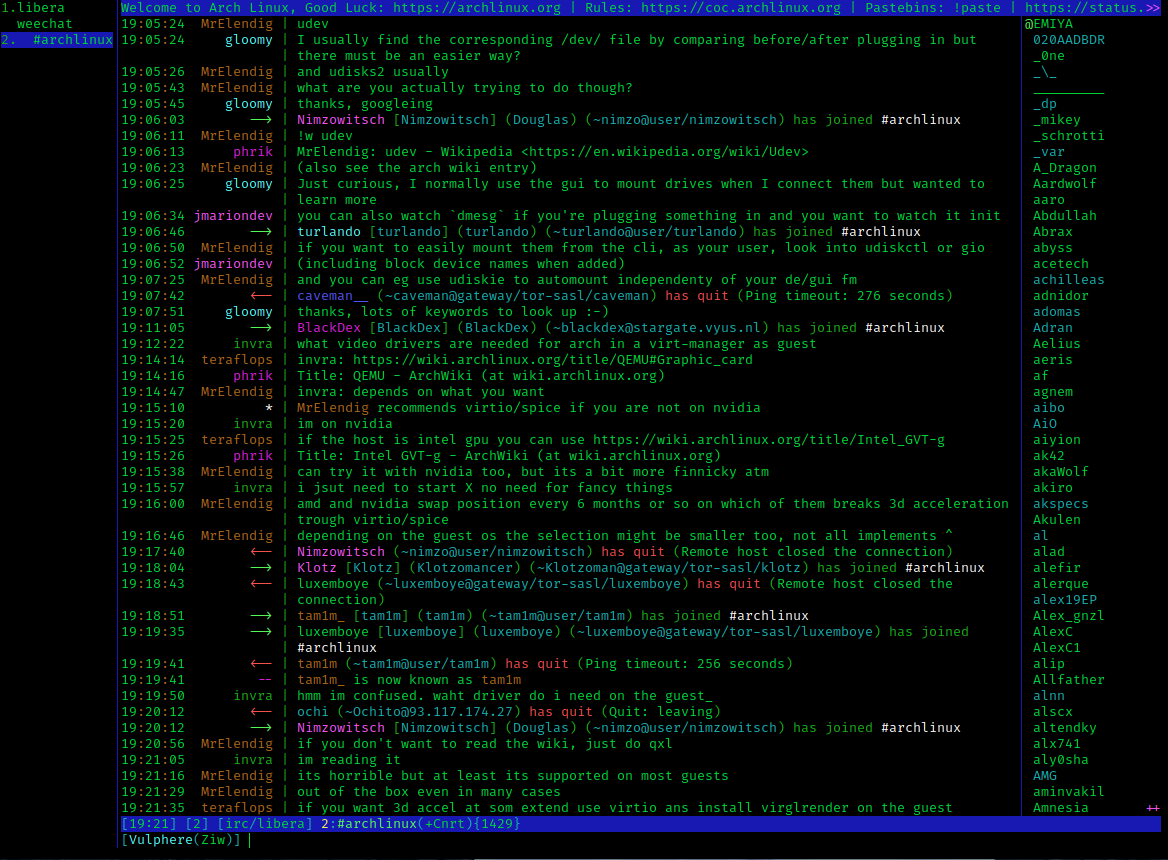
1. Install and add a network
Every distribution packages it (apt install weechat); macOS via Homebrew.
Make sure you land on 4.9.4 or newer — the July 2026 release
fixed two serious vulnerabilities
in the relay and logger plugins.
Then, inside WeeChat, everything is /commands:
/server add libera irc.libera.chat/6697 -tls
/set irc.server.libera.autoconnect on
/set irc.server.libera.nicks "yournick,yournick_"
Recent WeeChat versions ship with TLS verification on by default — leave it that way.
2. SASL
With a registered account:
/set irc.server.libera.sasl_username "youraccount"
/set irc.server.libera.sasl_password "yourpassword"
/save
/connect libera
(For the security-minded: /secure set encrypts credentials, then reference
them as ${sec.data.libera_password} — the manual's recommended pattern.)
3. Channels and layout
/join #channel
/set irc.server.libera.autojoin "#chan1,#chan2"
Essential navigation: Alt+↑/↓ or Alt+number switches buffers, PgUp
scrolls history, Tab completes nicks, /buffer close closes. The default
interface already includes the buffer list (buflist) and nick list; almost
everything visual is a /set away — /fset buflist style commands open the
interactive config browser, which is the sane way to explore WeeChat's
thousands of options.
4. Scripts
The script manager is built in:
/script search notify
/script install go.py
go.py (fuzzy buffer switching) is the universally recommended first
install. Scripts exist in Python, Perl, Lua and more — spell checking,
highlight notifications to your desktop, URL handling, all a /script install away.
5. The relay trick
WeeChat's relay protocol lets remote interfaces attach to your running instance — the lightweight web/mobile frontends in the WeeChat ecosystem connect this way. Run WeeChat in tmux on a VPS, enable a relay with TLS and a strong password, and you have persistent IRC with remote access and no separate bouncer:
/relay add tls.weechat 9001
/set relay.network.password "${sec.data.relay}"
(If you prefer real IRCv3 chathistory semantics for other clients, soju remains the dedicated tool — but for a one-person setup, WeeChat-in-tmux is hard to beat.)
Learning curve, honestly
Day one feels alien; day seven feels efficient; day thirty you resent every
other chat interface. Keep the
commands cheat sheet nearby and let
/help and /fset teach you the rest.