HexChat is dead — what to use instead in 2026
Updated July 22, 2026
The short version: HexChat development ended on 9 February 2024, when its maintainer shipped 2.16.2 and announced it as the last release. Since then, Flathub has delisted it and Debian dropped it from testing (January 2026) — though the project homepage, in a final touch of neglect, still describes it as actively developed. If a list recommends HexChat in 2026 without mentioning any of this, close the tab; the rest of its advice is the same vintage.
Do you have to move?
Not today. HexChat still installs and still connects; on Linux, distro packages (it remains in Debian 13 stable, Ubuntu and Fedora) at least get rebuilt against current libraries. The Windows installer is the worse story: its bundled OpenSSL and GTK are frozen in February 2024 and will never see another security fix, on a program whose job is talking to the internet. No alarm bells — but every month adds a little rot, and the migration is easier than the inertia suggests.
Where to go
The fresh start: Halloy. The recommendation for most people. Modern, fast, open source, actively developed, and better than HexChat at the things that matter in 2026 — IRCv3, proper history against a bouncer, a UI without the 2003 baggage. What it does not bring along: your Perl and Python plugins.
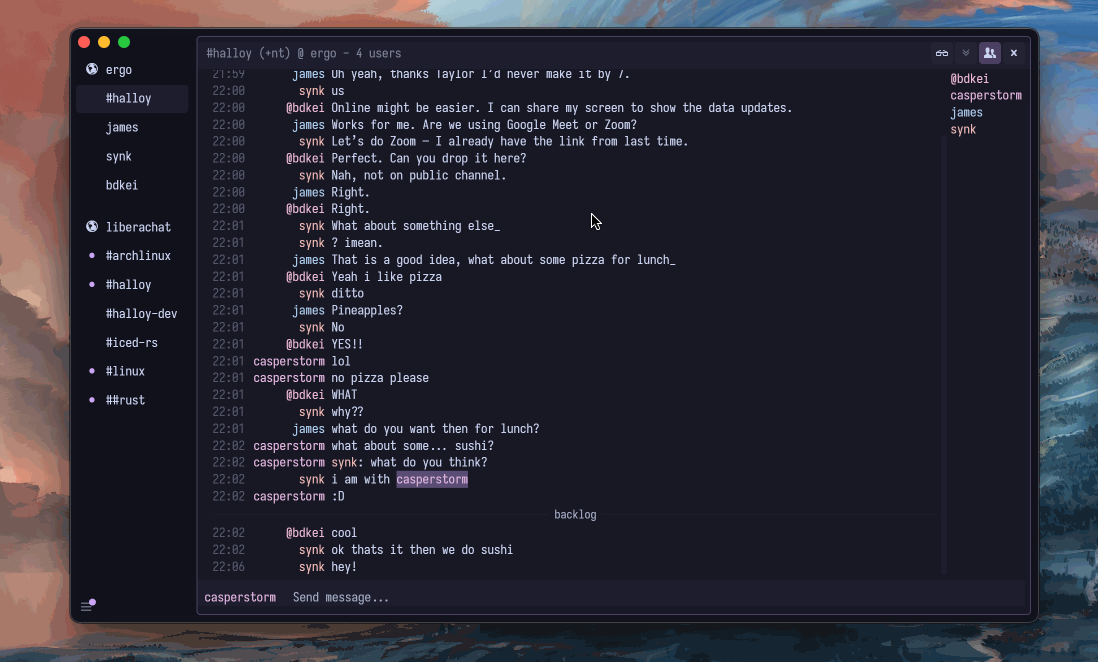
Download (free):
- Windows:
winget install squidowl.halloy - macOS:
brew install --cask halloy - Linux: Flathub
- Installers for everything at halloy.chat
The familiar feel: KVIrc. If what you liked about HexChat was the tabbed, knob-covered, everything-configurable GUI, KVIrc is the closest maintained equivalent (5.2.10, December 2025) — GPL, Qt, scripting language included.
On Windows specifically: AdiIRC. Freeware, dense, endlessly tweakable — the natural home for HexChat users who were really mIRC users in exile. Or mIRC itself, $19.95 and very much alive.
On KDE: Konversation. Released monthly, integrates properly, zero drama. The whole Linux field is in the Linux guide.
The sidestep: if the annoyance of losing your client is really the annoyance of losing state, take the opportunity to fix persistence properly — The Lounge self-hosted, or IRCCloud hosted, and the client question mostly dissolves.
Moving your settings
The things worth carrying over fit in a text file: your networks and
channels, your SASL credentials, and
your highlight words. HexChat kept these under ~/.config/hexchat (or
%APPDATA%\HexChat) — servlist.conf for networks is human-readable, and
ten minutes with it recreates your setup in any client above. Scripts are the one real loss. Nothing else runs HexChat's Python and Perl
plugins, so check whether your must-haves exist natively elsewhere. Halloy
covers the common cases in configuration rather than code — notifications,
highlights, URL handling.
The one-paragraph verdict
HexChat earned its decade as the default; nothing about its end is scandal, just an unpaid maintainer finishing. But defaults have expiry dates. Halloy for the future, KVIrc or AdiIRC for the familiar, Konversation for KDE — and whichever you pick, it will be the first client you have installed in years that still has someone answering the bug tracker.