Best IRC clients for Windows in 2026
Updated August 10, 2026
Most Windows IRC recommendation lists still suggest clients abandoned in the 2000s—and nearly all lead with one whose developer stopped work in 2024. The best IRC client for Windows in 2026 is Halloy for most people, mIRC or AdiIRC if you want scripting, and KVIrc if you liked HexChat's look. The actual, maintained Windows IRC clients in 2026 are four. The right choice depends on what you need: the modern default, the scriptable classic, freeware with every feature, or a stable Qt-based alternative.
At a glance
| Client | Price | Open source | Last release | Install |
|---|---|---|---|---|
| Halloy | Free | Yes (GPL) | June 2026 | winget install squidowl.halloy · halloy.chat |
| mIRC | $19.95, 30-day trial | No | 7.84, June 2026 | winget install mIRC.mIRC · mirc.com/get |
| AdiIRC | Free | No | 2023 stable, 2026 betas | adiirc.com/download |
| KVIrc | Free | Yes (GPL) | 5.2.10, Dec 2025 | winget install KVIrc.KVIrc · GitHub releases |
| HexChat | Free | Yes (GPL) | Feb 2024, final | Still installable; read this first |
Halloy — the modern default
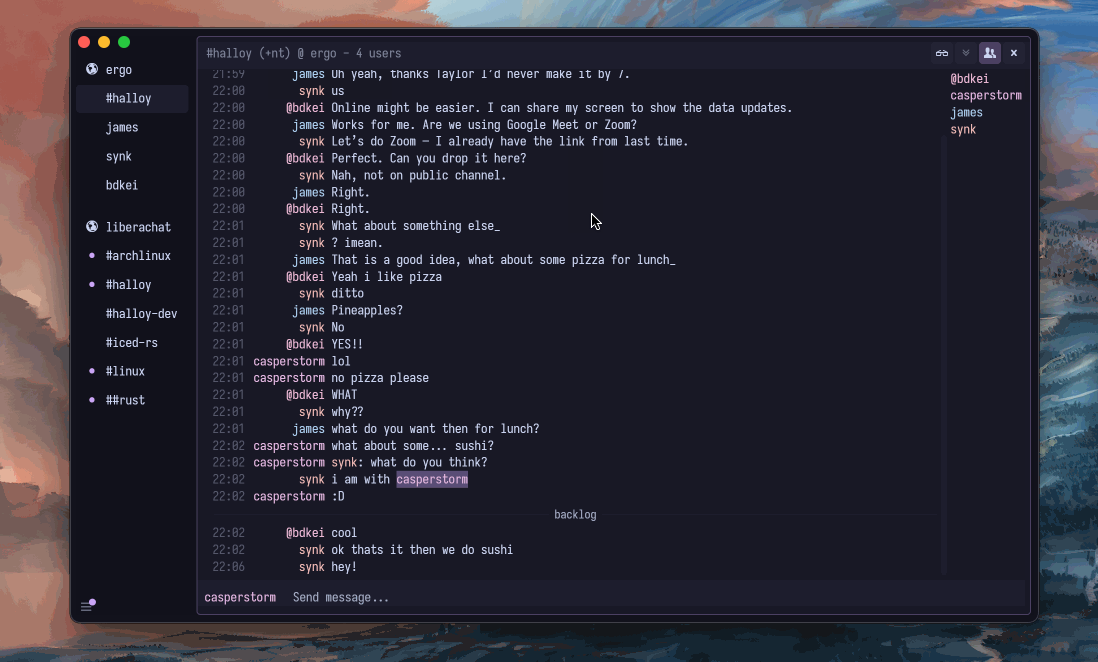
The client to start with in 2026 is Halloy: open source, written in Rust, instant to launch, and the only Windows client that looks like it was designed this decade.
First-class IRCv3 support means history, read markers and reactions work properly — especially against a soju bouncer.
Configuration is a readable TOML file; a settings UI exists for the allergic.
Download (free):
winget install squidowl.halloy- Installer from GitHub
Longer impressions in the first look, and the full setup guide for config and bouncer pairing.
mIRC — the scriptable classic
Thirty-one years in, mIRC keeps shipping — 7.84 arrived in June 2026. The interface remains its own genre, but everything configurable is configurable.
The mSL scripting language still makes channel automation more immediate than anything else on this list. Shareware: $19.95 for a personal license after the famously gentle 30-day trial.
Download ($19.95 after the 30-day trial):
- mirc.com/get
winget install mIRC.mIRC— can lag a version behind
The full treatment — scripting culture, setup notes for returners — is in mIRC in 2026.
AdiIRC — the freeware kitchen sink
When you want mIRC's density without mIRC's fee, AdiIRC is the pick: freeware, mSL-compatible enough that many scripts just run, themable to the pixel, with every protocol box ticked.
Closed source, one developer, and on an unhurried schedule — the last stable is from 2023, with official beta builds (including a native ARM one) dated May 2026.
The developer accepts no money and asks that you donate to charity instead, which tells you something about why this one is still alive.
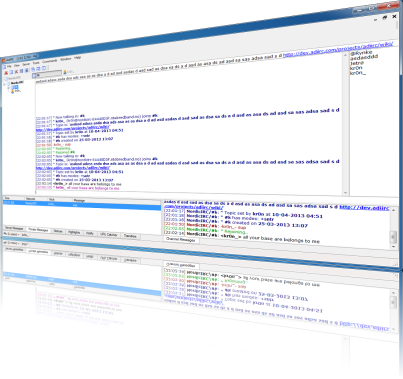
Download: adiirc.com/download — installers and portable builds, free; not on winget.
KVIrc — the Qt veteran
Predating most of this list, KVIrc quietly refuses to die — 5.2.10 "Quasar" shipped in December 2025. Qt-based, GPL, with its own scripting language (KVS).
The interface will feel right at home if your aesthetic settled around 2008. It's a reasonable classic-GUI alternative now that HexChat is gone, if Halloy is too minimal for you.
Download (free):
winget install KVIrc.KVIrc- GitHub releases
HexChat — the missing name
Every Windows IRC list for a decade started with HexChat, so its absence above needs explaining. Development ended in February 2024, and 2.16.2 was announced as the final release.
The Windows installer bundles its own OpenSSL and GTK, and neither has received a fix since. It installs, it runs, and it will slowly rot.
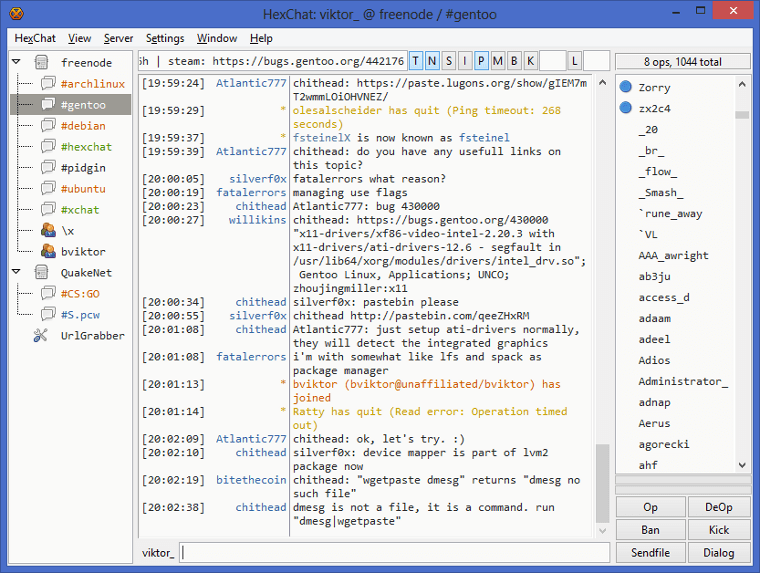
If you are settled in it, no urgency; if you are choosing today, choose something maintained. Migration paths: HexChat is dead — what to use instead.
The non-installs
IRCCloud has no Windows app anymore — the desktop client was retired in 2023; the intended path is irccloud.com installed as a browser PWA.
The Lounge is not a Windows program but a self-hosted web client you open from any browser — arguably the best "Windows client" for anyone who also owns a second device.
Both are covered in best web IRC clients.
HydraIRC, another free Windows client with its own history, is still maintained — see HydraIRC in 2026 if you're weighing it against the four above.
Terminal people: WeeChat works under WSL exactly as well as you hope — the terminal guide.
Recommendations
- Starting fresh: Halloy.
- Scripts, bots, muscle memory from 1999: mIRC — or AdiIRC if the $19.95 offends you.
- Maximum knobs, zero dollars: AdiIRC.
- Leaving HexChat: Halloy for a fresh start, KVIrc for familiarity.
Then do the usual day-one trio — TLS on 6697, SASL, nickname fallback: registration guide.
Common questions
What is the best IRC client for Windows?
Halloy, for anyone starting fresh — free, actively developed, and the only one on this list built for 2026 rather than surviving into it. See above if you script or want a classic GUI instead.
Is there a free IRC client for Windows?
Yes — Halloy, AdiIRC, and KVIrc are all free. Only mIRC charges, and only after a 30-day trial.
Do I need to install anything, or can I use IRC on Windows without a client?
Yes, every network has a webchat — see best web IRC clients if you'd rather not install anything at all.