Web IRC: how to use IRC in your browser
Updated July 25, 2026
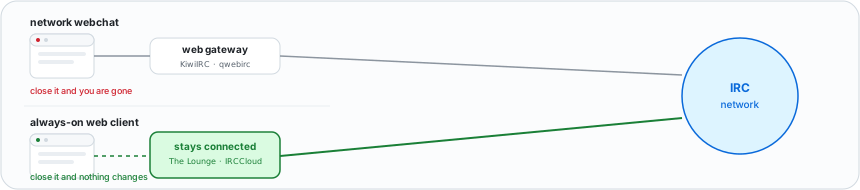
Open a URL, type a nickname, join a channel. That is all web IRC is, and every network in the table below supports it.
The catch comes later, when you close the tab.
Webchat addresses, by network
Pick your network and go. No account, no install.
| Network | Webchat | Runs on |
|---|---|---|
| Libera.Chat | web.libera.chat | KiwiIRC |
| OFTC | webchat.oftc.net | qwebirc |
| EFnet | chat.efnet.org:9090 | — |
| IRCnet | ircnet.chat | — |
| Undernet | chat.undernet.org | — |
| DALnet | dal.net/webchat | — |
| Rizon | qchat.rizon.net | qwebirc |
| QuakeNet | webchat.quakenet.org | qwebirc |
| hackint | chat.hackint.org | The Lounge |
Two of these are worth a note. Libera.Chat runs a second, lighter webchat at web.libera.chat/gamja for anyone who finds the default too heavy. And hackint skipped the gateway software entirely — its webchat is a hosted The Lounge, so it keeps history the way none of the others do.
If you have never joined a channel before, the
two-minute walkthrough covers the
nickname prompt and the #channel syntax.
Note: "WEBIRC" also names a protocol command, which is how these gateways pass your real IP to the network instead of everyone appearing to connect from one address. That is explained separately — you do not need it to use a webchat.
What a plain webchat cannot do
Close the tab and the connection ends. No history, no notifications, nobody can reach you until you come back.
That is fine for a one-off visit to a support channel, and it is why webchat exists. It is not fine as a way to actually be on IRC, because on IRC the conversation continues whether you are watching or not.
The fix is a web client that keeps the connection on a server instead of in your tab. There are three, and they are all still browser tabs — you just get a different thing behind them.
Web clients that stay connected
| Client | Hosting | Price | History | Mobile |
|---|---|---|---|---|
| The Lounge | Self-hosted (Node.js) | Free | Yes | PWA |
| IRCCloud | Their servers | Free / $6 per month | Yes | iOS and Android |
| gamja | Self-hosted (static) | Free | Via the bouncer | Browser |
The Lounge — your own always-on web client
One Node.js process on your own server holds the IRC connection and serves the web UI to any browser you open it in.
The Lounge keeps history while you are away and installs to a phone home screen as a PWA, so one small box covers every device you own. Version 4.5.2 shipped in July 2026 and requires Node 22.
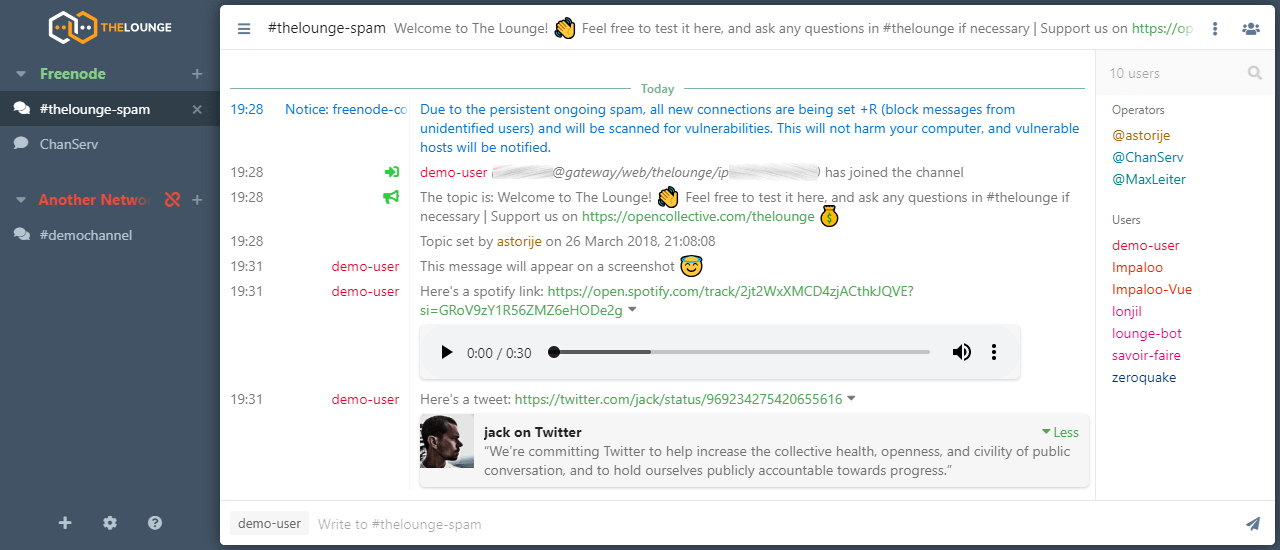
Get it: thelounge.chat — free, npm or Docker. Full install with reverse proxy in The Lounge setup guide.
IRCCloud — the hosted option
The same idea with the server work removed. IRCCloud holds your connection on their machines; the web UI and the mobile apps are windows onto it, with push notifications and synced history.
The free tier disconnects you after two hours idle, though it stays permanently connected for your first seven days. Paying $6 per month removes the limit.
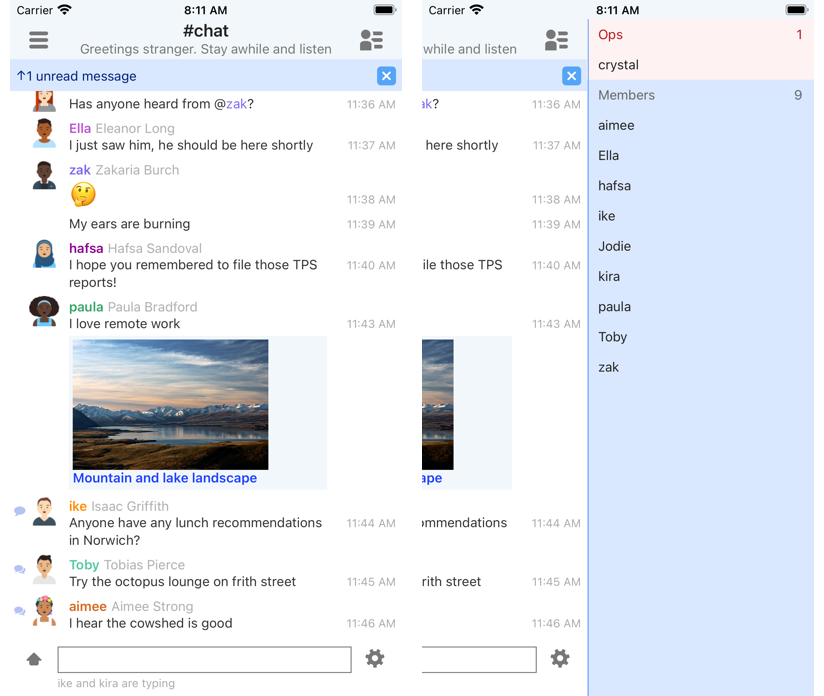
Get it:
- irccloud.com — sign up in the browser
- Android app — free
- iOS app — free
More detail in IRCCloud explained.
gamja — a browser face for your bouncer
A handful of static files you drop behind any web server. gamja does no remembering itself; it points at a soju bouncer, and the bouncer holds the connection and the history.
That split makes it the lightest option here by a wide margin, and the obvious choice if you already run soju. It is also what Libera.Chat serves as its lightweight webchat.
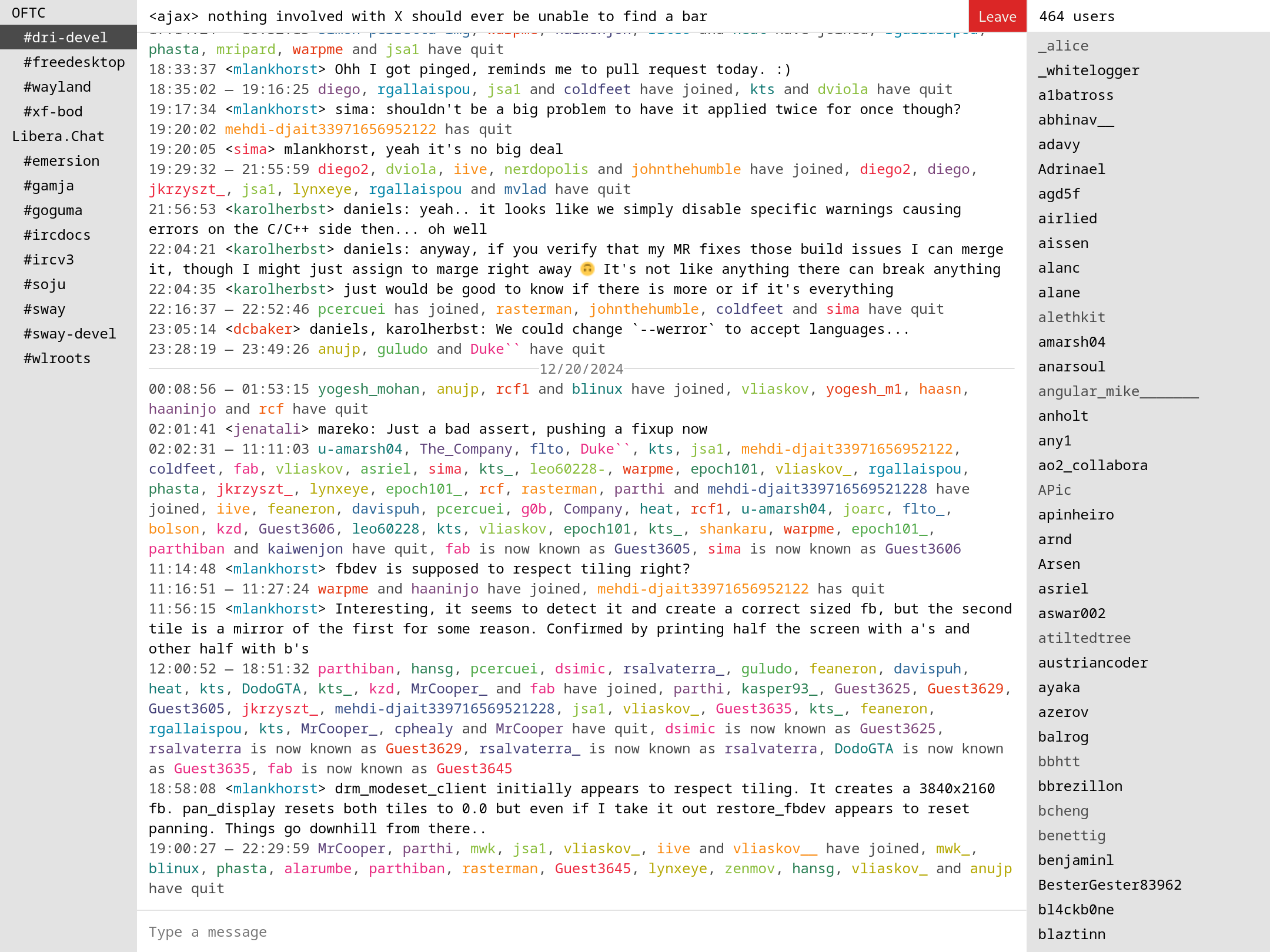
Get it: codeberg.org/emersion/gamja — free, static files.
Running a webchat of your own
The gateway software behind the first table — KiwiIRC, qwebirc — is yours to run if you want a "chat with us" button on your project's site. There is also a copy-paste embed that needs no server at all.
That is a different job from picking a client to use, so it lives on its own page: host your own IRC webchat.
Which one?
- Visiting one channel today: your network's webchat from the table above.
- On IRC regularly, no server of your own: IRCCloud.
- You have a VPS or a Raspberry Pi: The Lounge.
- Already running soju: gamja next to it.
For how these four rank against each other, and what filled the gap when Mibbit shut down in 2024, see best web IRC clients.
And when the browser starts feeling like the limiting factor, the desktop and terminal clients are the next step.