Best IRC clients in 2026: desktop, terminal, mobile and web
Updated July 22, 2026
Half the "best IRC client" lists on the internet still recommend software that was abandoned a decade ago. This guide is current: every recommendation below is checked against reality as of July 2026, says who it is for, and links to where you install it.
Already know your platform? Go straight to Windows, macOS, Linux, Android, iOS, Terminal, or Web.
Quick picks
| Your situation | Use | Why |
|---|---|---|
| New to IRC | Halloy | Modern, actively developed, easy installers on Windows, macOS, Linux |
| On your phone | goguma | Best IRCv3 and bouncer support on Android and iOS |
| Windows (nostalgic) | mIRC | Still maintained, unmatched scripting ecosystem |
| Terminal (power user) | WeeChat | Scriptable, relay support, the power-user standard |
| Terminal (minimalist) | Irssi | Lean, stable, does IRC and nothing else |
| Always-on (self-hosted) | The Lounge | Stays connected on your server, clean web interface |
| Always-on (hosted for you) | IRCCloud | Hosted always-on IRC with mobile apps and push notifications |
The state of the field, honestly
Because this is the part every other list gets wrong, here is the maintenance reality in one table. Desktop and terminal clients only — the mobile and web tables live on their own pages:
| Client | Status in July 2026 |
|---|---|
| Halloy | Very active — 2026.7.2 released June 2026 |
| WeeChat | Very active — 4.9.4 (July 2026); update, it fixes CVEs |
| mIRC | Active — 7.84 (June 2026), thirty-one years in |
| Konversation | Active — monthly KDE releases |
| KVIrc | Alive — 5.2.10 (December 2025) |
| AdiIRC | Semi-active — 2023 stable, 2026 betas |
| Irssi | Dormant but rock-solid — last release 2023 |
| HexChat | Discontinued February 2024; delisted from Flathub |
| Textual | Sunset July 2026 |
| Colloquy, LimeChat, Quassel, Revolution IRC | Dead or as good as |
Graphical desktop clients
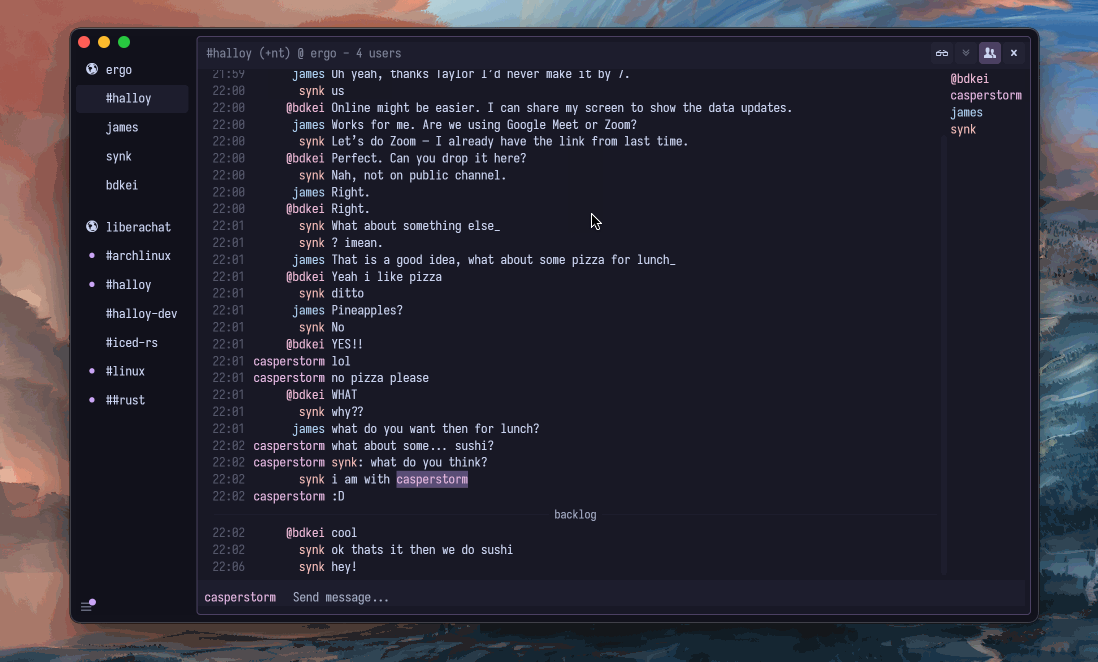
Halloy
On Windows, macOS and Linux alike, Halloy has gone from "interesting newcomer" to the default GUI recommendation: open source, written in Rust, fast, modern-looking, with first-class IRCv3 support and a refreshing lack of 2003-era UI baggage. It is the client to show someone who thinks IRC software is stuck in the past — and with HexChat gone, it is also simply the safest thing to install on every desktop platform.
Download (free):
- Windows:
winget install squidowl.halloy - macOS:
brew install --cask halloy - Linux: Flathub
- Installers for everything at halloy.chat
First look and the full setup guide.
mIRC
Windows' longest-running client, mIRC, has shipped continuously since 1995 — 7.84 arrived in June 2026. Its scripting language (mSL) powered a whole subculture of bots and games. Shareware: $19.95 after the 30-day trial; whether that is nostalgia tax or fair payment for thirty years of maintenance is up to you. The full story.
HexChat
For a decade, HexChat was the default beginner recommendation — which is exactly why its end matters: development stopped in February 2024 with 2.16.2 as the final release, and the installers have not seen a security fix since. It still runs fine today — but do not start here. What to use instead.
Konversation
KDE's own Konversation is comfortable, well-integrated and quietly excellent for KDE users, and unlike most of this list it gets released every month. More in the Linux guide.
AdiIRC and KVIrc
Rounding out the Windows-centric field: AdiIRC and KVIrc — both alive, both covered in the Windows guide.
Terminal clients
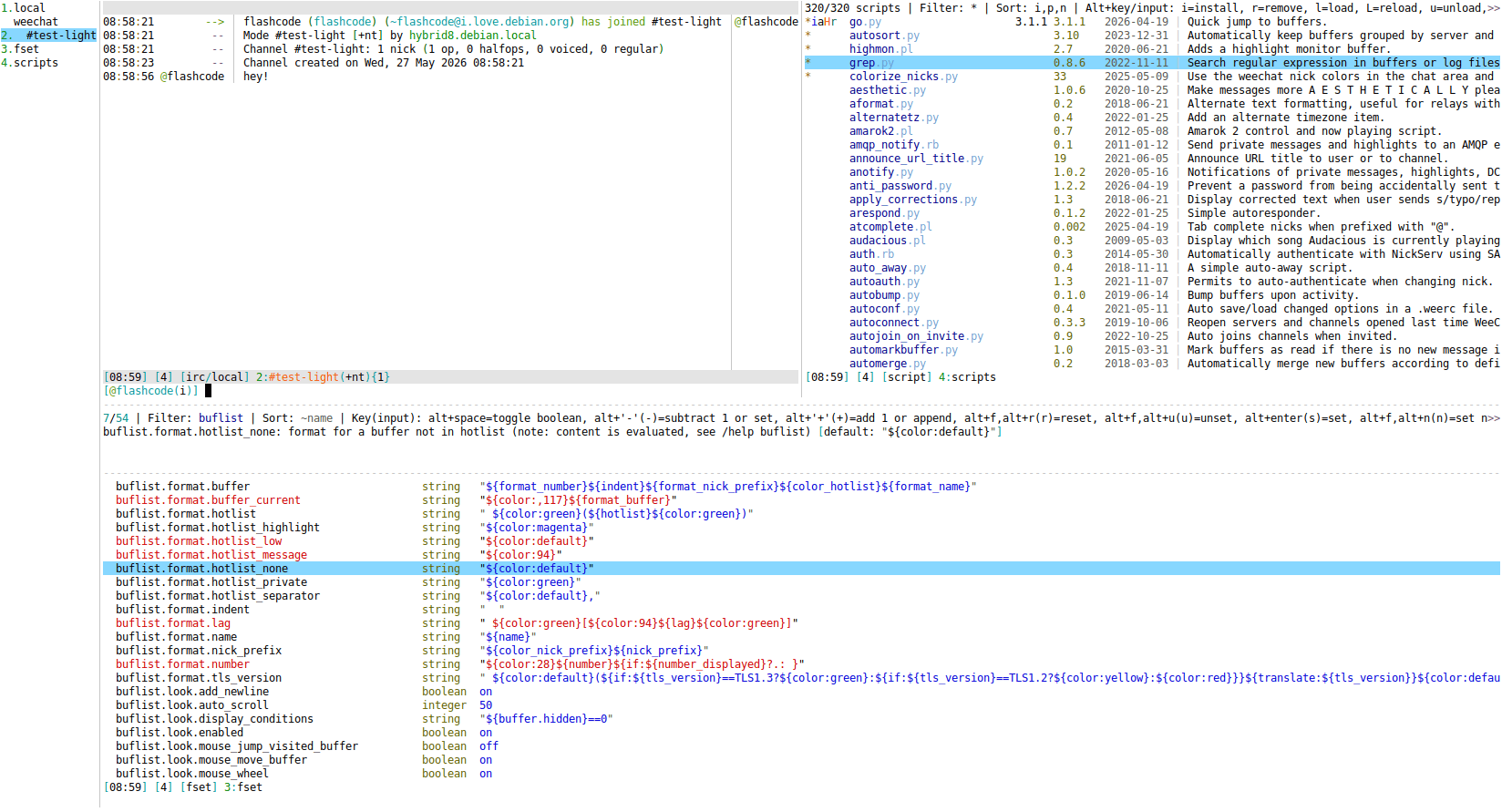
WeeChat
The power user's pick: WeeChat is scriptable in Python, Perl, Lua and more, with a relay protocol that lets graphical and mobile frontends connect to your always-running instance — many people use WeeChat itself as their bouncer. Steeper learning curve, enormous payoff. Run 4.9.4 or later; the July 2026 release fixed two serious relay and logger vulnerabilities.
Irssi
The classic: Irssi is lightweight, rock-solid, and Perl-scriptable. If your workflow is "tmux on a server, attach from anywhere", Irssi in a tmux session is a time-honored poor man's bouncer that needs nothing else. No release since 2023 — for software this finished, that is closer to a feature than a bug.
The minimalists
senpai, tiny and catgirl cover the modern-minimalist end — senpai in particular is built for soju the way goguma is. The full field, compared: best terminal IRC clients.
Mobile
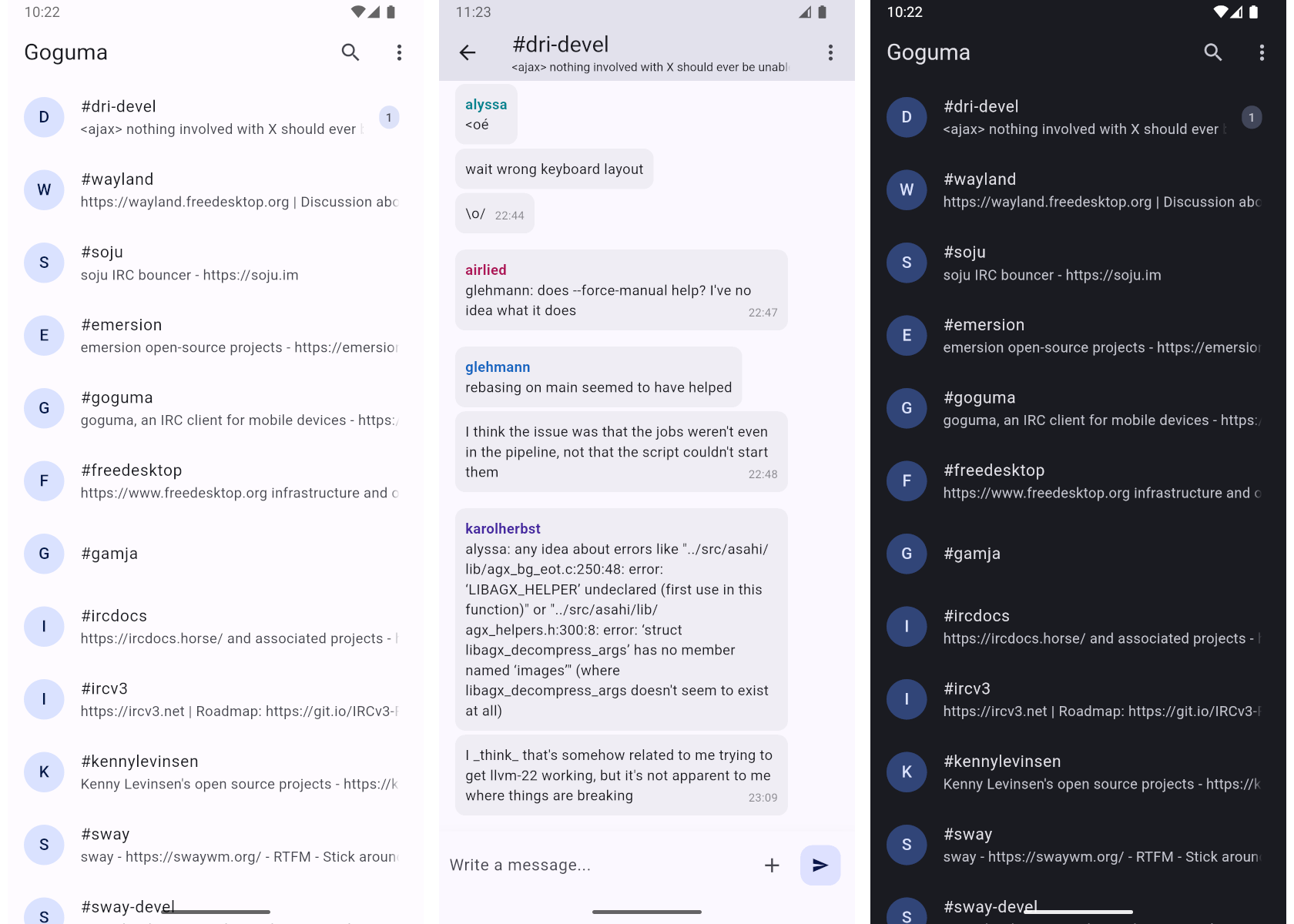
goguma
On both Android and iOS, goguma is the modern choice — built by the soju developer, designed around IRCv3 and bouncer integration so that history and notifications actually work the way phone users expect.
Download:
- Android: Google Play · F-Droid — free
- iOS: App Store — $0.99
The rest of the pocket
IRCCloud (Android, iOS) is the zero-effort option, because the connection lives on their servers (see below). Quasseldroid (Android) remains excellent if you run a Quassel core. Store links, screenshots and the full reasoning: Android · iOS.
Cloud and web
IRCCloud
Hosted IRC, done properly: IRCCloud keeps you connected from their cloud — persistent history synced across devices, push notifications, a polished web UI. Free until you idle for two hours; $6 per month keeps you permanently online. The trade-off is that a company sits between you and the network. It is also the proof that IRC users will pay for exactly one thing: not missing messages. IRCCloud, explained.
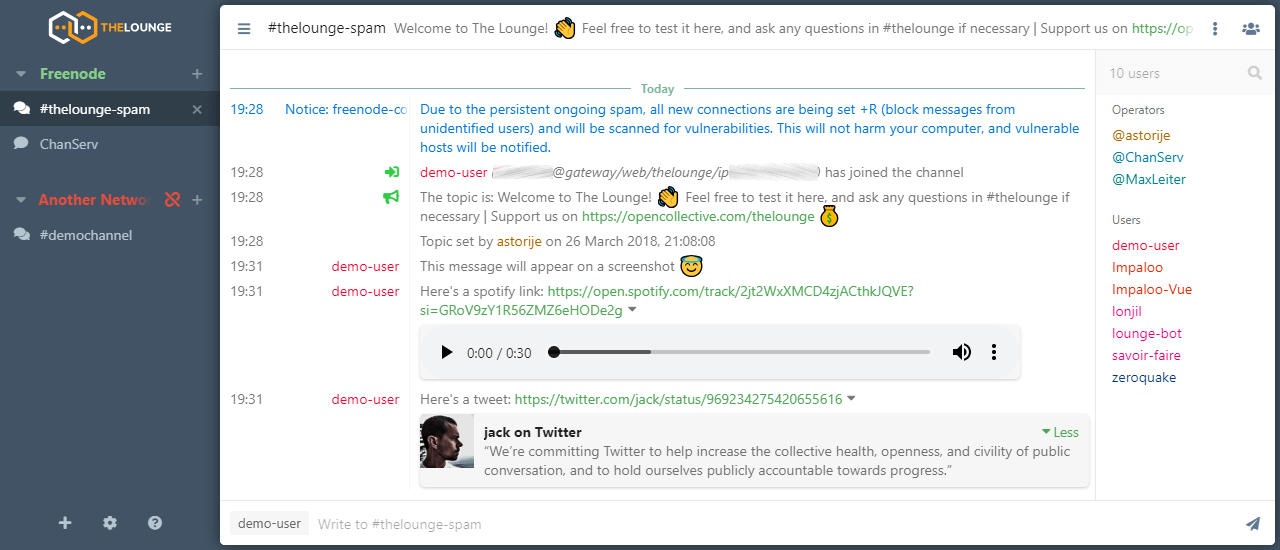
The Lounge
The self-hosted equivalent is The Lounge — a Node.js web client that stays connected and serves a modern web UI to all your devices. If you have a VPS or a Raspberry Pi, this is a delightful weekend setup. Setup guide.
gamja
For soju users there is gamja, a lightweight web client. The whole category — including what replaced Mibbit — is compared in best web IRC clients.
Alternatives to discontinued IRC clients
If you are here because your old favorite is gone, start here:
- Replacing HexChat on desktop: Halloy (best default), Konversation (KDE/Linux), mIRC (Windows scripting workflow)
- Replacing Textual on macOS: Halloy first, then best IRC clients for macOS
- Replacing web-only legacy clients: The Lounge, IRCCloud, best web IRC clients
What about staying online 24/7?
Any local client disconnects when your laptop sleeps. If you want permanent presence and scrollback, the classic answer is a bouncer — ZNC or soju — sitting between your clients and the network. That topic gets its own article: what is an IRC bouncer? For the always-on setups people run at work, see IRC clients for professionals.
FAQ: best IRC clients in 2026
What is the best IRC client for beginners?
For most desktop users, start with Halloy: modern UI, active development, and easy install links across Windows, macOS and Linux.
What is the best IRC client for terminal users?
WeeChat is the power-user choice. Irssi is the minimalist classic.
Is HexChat still maintained?
No. HexChat was discontinued in February 2024, with 2.16.2 as the final release.
What is the best IRC client for Android and iOS?
goguma is the modern pick on both platforms, especially if you use IRCv3 and bouncer-based setups.
Should I use IRCCloud or The Lounge?
Use IRCCloud if you want always-on IRC without self-hosting. Use The Lounge if you want the same always-on model on your own server.
Whatever you pick
Three settings to get right on day one, in any client: connect with TLS (port 6697), authenticate with SASL (guide), and set your preferred nickname plus a fallback. The full rundown is in IRC security and privacy. After that it is all commands — and those are the same everywhere.