Internet Relay Chat (IRC) explained: what it is and how it works
Updated August 10, 2026
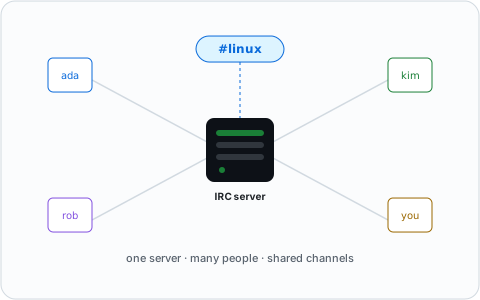
IRC — Internet Relay Chat — is a text-based chat protocol created in 1988, which makes it older than the web itself. Despite being declared dead roughly once a year since 2005, it still hosts well over 150,000 simultaneous users across hundreds of networks, and it remains the day-to-day communication channel for many of the open source projects that power the internet.
IRC in one paragraph
IRC is a client–server protocol for real-time text chat. You run a client (a
program on your computer or phone, or a web page), connect to a server that
belongs to a network, and join channels — chat rooms whose names start with
#. Anyone in the channel sees what you write, instantly. That is the whole
model. No corporate account, no algorithmic feed, no ads.
A very short history
IRC was created by Jarkko Oikarinen in August 1988 at the University of Oulu in Finland, as a replacement for a multi-user talk program on a local BBS. It spread through universities, exploded during the 1990s, and became the backbone of online communities long before social media existed. Major world events — the 1991 Soviet coup attempt, the Gulf War — were live-reported over IRC. The full history is its own story.
At its peak in the early 2000s, a single network (QuakeNet) held over 240,000 simultaneous users. Usage declined as people moved to social media, Slack, and later Discord. The most recent drama came in 2021, when most of the open source world left the Freenode network after an ownership dispute and founded Libera.Chat, now the largest IRC network.
How IRC works
Networks. An IRC network is a group of linked servers sharing the same channels and users; connect to any server in the network and you see everyone. Several hundred public networks exist today — see the network overview for the ones that matter.
Channels. A channel is a named room, like #linux or #python. Channels
are created simply by joining a name that does not exist yet, and are moderated
by channel operators ("ops").
Nicknames. You are identified by a nickname. On most networks you can register your nick with a service called NickServ so nobody else can use it.
Clients. You need a client program to connect. Popular choices in 2026 include HexChat, WeeChat, Irssi, mIRC, the modern Rust-based Halloy, and cloud/web options like IRCCloud and The Lounge — compared in best IRC clients.
One important difference from modern chat apps: plain IRC does not store your
messages. If you are offline, you miss what was said. People solve this with
a bouncer, a cloud client, or the IRCv3
chathistory extension on networks that support it.
Who uses IRC in 2026?
- Open source projects. Libera.Chat alone hosts over 22,000 channels, including official support channels for Ubuntu, Debian, Arch, Python, PostgreSQL and thousands of other projects. When documentation says "ask in #project", it usually means IRC.
- Sysadmins and developers, who appreciate that IRC runs fine in a terminal over SSH and is trivial to script.
- Long-lived communities that have existed for 20+ years and see no reason to move.
- Privacy-minded users who want chat without a corporate account, tracking, or data mining.
Why IRC instead of Discord or Slack?
The honest answer: IRC is not for everyone. Discord has voice, video, embedded media and message history out of the box. What IRC offers instead:
- An open protocol. Dozens of clients, any platform, your choice. No vendor can shut down "your app".
- No account with a company. Pick a nickname and you are in.
- Extremely lightweight. Works on a 30-year-old laptop, over a slow connection, in a terminal.
- Scriptable and bot-friendly. Writing an IRC bot is a classic weekend project for a reason.
- Longevity. IRC channels routinely outlive the companies behind proprietary platforms.
A deeper comparison lives in IRC vs Discord.
How do I try it?
- Open a web client — for example Libera.Chat's webchat at
web.libera.chat— pick a nickname, and join#libera(the network's help channel). - Say hello. That's it; you are on IRC.
- If you like it, install a real client and register your nickname.
Full walkthrough: How to join an IRC channel.
Common questions
Is Internet Relay Chat still used?
Yes. Libera.Chat alone runs over 22,000 channels, and hundreds of other networks are active daily — see is IRC dead? for the numbers behind that.
What does an Internet Relay Chat server look like?
A single machine running IRC server software (examples: InspIRCd, UnrealIRCd, Solanum, Ergo — compared here), usually linked to others in the same network. You can run your own in under an hour.
What are some examples of Internet Relay Chat in use today?
Ubuntu, Debian, Arch Linux, Python, and PostgreSQL all run their official support channels on Libera.Chat. Gaming and anime communities cluster on networks like Rizon. Sysadmins use it as a lightweight, scriptable alternative to Slack.
Can I use Internet Relay Chat online, without installing anything?
Yes — every major network runs a webchat. See how to use IRC in your browser for the full list.